
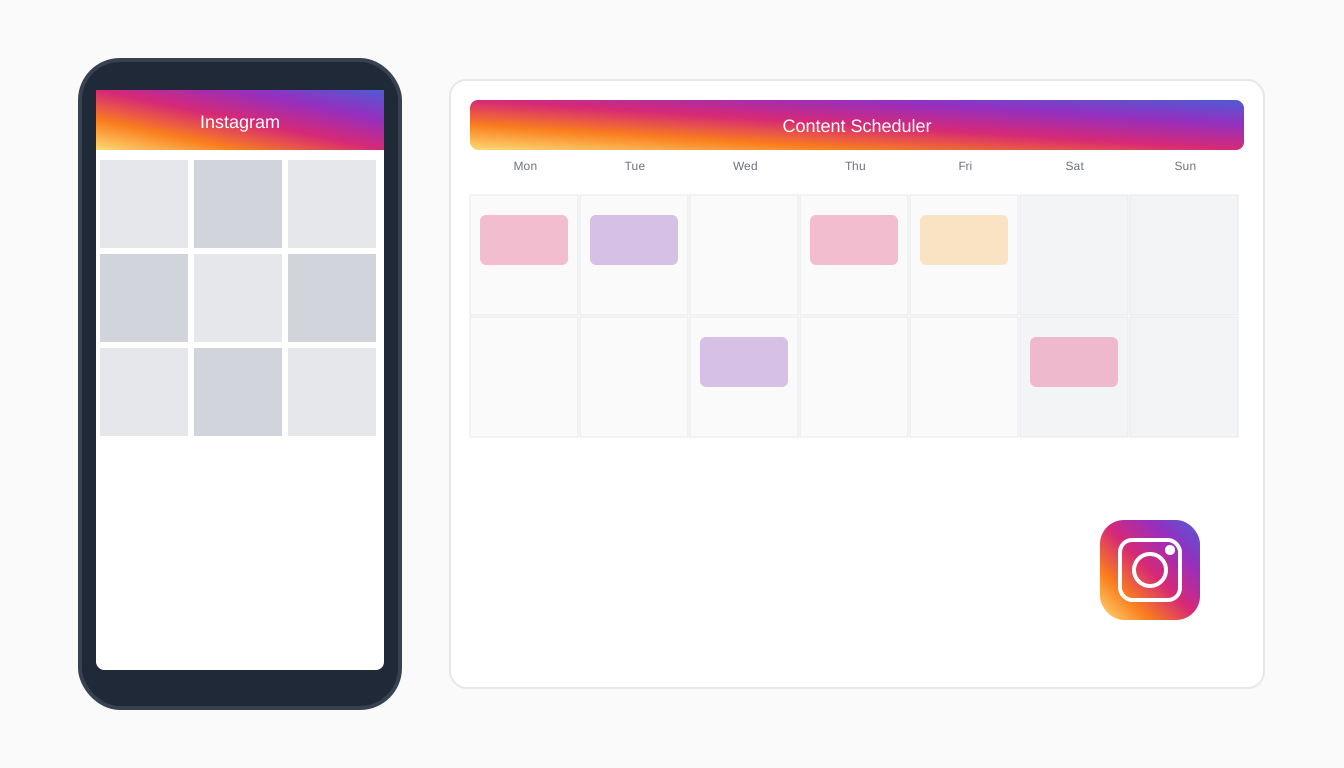
Best Instagram Scheduler in 2026: Schedule Reels, Stories & Posts Automatically
Instagram in 2026 is a different beast. Reels account for over 60% of content discovery. Carousels are the highest-saved format on the platform. And the algorithm has made one thing abundantly clear: consistency wins.
If you are still posting manually -- opening the app, writing a caption on the fly, scrambling for hashtags -- you are leaving reach on the table. The creators and brands that are growing right now have one thing in common: they batch their content, schedule it in advance, and let automation handle the rest.
The good news is that Instagram scheduling tools have gotten dramatically better. Several now support native Reels scheduling, AI-generated captions, and smart timing optimization. The bad news is there are dozens of options, and picking the wrong one means paying for features you will never use.
This guide breaks down the six best Instagram schedulers in 2026, compares them feature by feature, and helps you pick the right one for your workflow. (Want to skip ahead and try Pylot's free Instagram scheduler? No credit card needed.)
Why You Need an Instagram Scheduler in 2026
The Algorithm Rewards Consistency
Instagram's recommendation engine in 2026 heavily favors accounts that post regularly. The sweet spot for most accounts is 4 to 7 feed posts per week, plus daily Stories. Miss a few days, and your reach drops noticeably. A scheduler removes the pressure of showing up every single day by letting you plan and queue content in advance.
Reels Require More Planning Than Static Posts
Reels are not something you throw together in five minutes. They need cover images, captions optimized for search, relevant audio, and proper aspect ratios. When you batch your Reels creation and schedule them ahead of time, you can focus on quality instead of scrambling to hit publish before the day is over.
Best Times Vary by Niche
Your audience might be most active at 7 AM or 9 PM -- it depends entirely on your niche, your location, and your followers' habits. Good scheduling tools analyze your historical data and recommend the optimal windows for posting. Without this, you are guessing.
AI Caption Generation Has Changed the Game
The biggest shift in 2026 is AI-powered content creation built directly into scheduling tools. Instead of staring at a blank caption field, you can generate on-brand captions, hashtag sets, and even content ideas in seconds. Tools like Pylot take this further by learning your brand voice and generating captions that actually sound like you.
Batch Creation Saves 5+ Hours Per Week
Content creators who batch their work -- shooting multiple pieces of content in one session, writing all captions at once, and scheduling everything in a single sitting -- consistently report saving five or more hours per week. That is time you can reinvest into engagement, strategy, or simply not burning out.
Instagram Scheduler Comparison Table (2026)
| Tool | Price | Formats Supported | AI Captions | API Type | Best For |
|---|---|---|---|---|---|
| Pylot | $29/mo | Reels, Stories, Feed, Carousels | Yes (brand voice AI) | Meta API | AI-powered scheduling |
| Later | $25/mo | Reels, Stories, Feed, Carousels | Basic AI | Later API | Visual planning |
| Buffer | $6/channel/mo | Feed, Reels | Basic | Meta API | Budget-friendly |
| Hootsuite | $99/mo | All formats | OwlyWriter AI | Meta API | Enterprise teams |
| Planoly | $16/mo | Feed, Stories, Reels | No | Meta API | Grid aesthetics |
| Meta Business Suite | Free | All formats | No | Native | Basic scheduling |
Detailed Reviews
1. Pylot -- Best AI-Powered Instagram Scheduler
Pylot stands out in 2026 because it was built from the ground up around AI content generation. While other tools bolted on AI features as an afterthought, Pylot's entire workflow revolves around generating, customizing, and scheduling content with minimal manual effort.
Strengths: The AI caption generator is the real differentiator. Pylot analyzes your brand voice, past content, and audience engagement patterns to generate captions that genuinely match your tone. You are not getting generic, robotic copy. The tool also supports full Reels scheduling through the Meta API, carousel posts, and Stories. The visual calendar makes it easy to see your entire content plan at a glance, and the smart timing feature recommends optimal posting windows based on your audience data.
Limitations: Pylot is newer to the market than some competitors, so its template library is still growing. If you need deep analytics dashboards comparable to enterprise tools, you may want to supplement with a dedicated analytics platform.
Pricing: $29/month for the Pro plan, which includes AI caption generation, multi-platform scheduling, and brand voice analysis.
Best for: Solo creators, small businesses, and marketing teams who want to cut content creation time in half with AI while maintaining a consistent, on-brand Instagram presence.
2. Later -- Best for Visual Planning
Later built its reputation on the visual-first approach to Instagram scheduling, and it remains one of the best options for creators who care deeply about how their grid looks.
Strengths: The drag-and-drop visual planner is genuinely excellent. You can see exactly how your next nine posts will look on your grid before anything goes live. Later also offers a solid media library for organizing your assets, a Linkin.bio feature for driving traffic, and support for Reels and carousel scheduling.
Limitations: Later's AI features are basic compared to dedicated AI tools. Caption suggestions exist but tend to be generic. The analytics are decent but not exceptional, and pricing can escalate quickly if you manage multiple accounts.
Pricing: Starts at $25/month for the Starter plan. Higher tiers unlock more social accounts and advanced analytics.
Best for: Visual-first creators, lifestyle brands, and anyone who obsesses over grid aesthetics.
3. Buffer -- Best Budget Option
Buffer has been around for over a decade, and its strength has always been simplicity. It does the basics well without overwhelming you with features you do not need.
Strengths: The pricing model is hard to beat -- $6 per channel per month means you can schedule Instagram content for less than a coffee. The interface is clean and intuitive, making it easy to get started even if you have never used a scheduling tool before. Buffer supports feed posts and Reels scheduling.
Limitations: Buffer lacks Story scheduling and carousel support is limited. The AI assistant offers basic caption suggestions but nothing close to brand voice matching. Analytics are surface-level, and you will not find advanced features like hashtag research or competitor analysis.
Pricing: Free plan available for up to 3 channels. Paid plans start at $6/channel/month.
Best for: Freelancers, side projects, and small businesses that need simple, affordable scheduling without the bells and whistles.
4. Hootsuite -- Best for Enterprise Teams
Hootsuite remains the go-to choice for large organizations managing multiple brands across dozens of social accounts. It is powerful, comprehensive, and priced accordingly.
Strengths: Hootsuite supports every Instagram format -- feed posts, Reels, Stories, and carousels. OwlyWriter AI provides caption generation and content recommendations. The platform excels at team collaboration with approval workflows, content libraries, and role-based permissions. Analytics are deep and customizable, and the social listening features help you monitor brand mentions and industry trends.
Limitations: The $99/month starting price is steep for individuals and small teams. The interface can feel overwhelming with its sheer number of features. And despite the investment in OwlyWriter AI, the caption quality still relies on fairly generic prompts rather than learning your specific brand voice.
Pricing: Professional plan starts at $99/month. Team and Enterprise tiers go significantly higher.
Best for: Marketing agencies, enterprise brands, and teams managing 10+ social accounts who need robust collaboration and reporting.
5. Planoly -- Best for Grid Aesthetics
Planoly carved out a niche early as the Instagram grid planner, and it continues to serve that audience well in 2026.
Strengths: The grid preview feature is polished and intuitive. You can visually arrange your upcoming posts to create a cohesive, aesthetically pleasing profile. Planoly also supports basic Reels and Story scheduling, and the interface is clean enough that non-technical users can pick it up quickly.
Limitations: No AI caption generation. The analytics are limited compared to competitors. Planoly has expanded to other platforms, but Instagram remains its core strength -- and even there, advanced features like hashtag optimization and audience insights are either missing or underdeveloped.
Pricing: Free plan with limited posts. Paid plans start at $16/month.
Best for: Creators and brands who prioritize visual grid cohesion above all else and prefer a simple, focused tool.
6. Meta Business Suite -- Best Free Option
Meta Business Suite is Instagram's own scheduling tool, and the price is unbeatable: free.
Strengths: Direct integration means full support for every content format, including Reels, Stories, carousels, and feed posts. Scheduling is straightforward, and since it is Meta's own tool, you never have to worry about API changes breaking functionality. Basic performance insights are included.
Limitations: The interface is clunky and unintuitive. There is no AI caption generation, no hashtag suggestions, no visual grid preview, and no smart timing optimization. Managing content across time is tedious, and the tool is limited to Meta platforms only -- you cannot schedule for other social networks from the same dashboard.
Pricing: Free.
Best for: Absolute beginners or businesses that only need basic scheduling and are not ready to invest in a paid tool.
Feature Deep Dive
Reels Scheduling Support
Native Reels scheduling through the Meta API is now supported by Pylot, Later, Buffer, Hootsuite, and Meta Business Suite. Planoly offers Reels scheduling but with some limitations on audio and cover image selection. If Reels are a core part of your strategy (and they should be), make sure your tool handles them natively rather than sending push notifications that require you to manually publish.
Carousel and Album Support
Carousels are the highest-saved content format on Instagram, making them critical for long-term reach. Pylot, Later, Hootsuite, and Meta Business Suite all support direct carousel scheduling. Buffer and Planoly have partial support -- check current limitations before committing if carousels are a major part of your content mix.
Story Scheduling
Not all tools support true Story scheduling. Pylot, Later, Hootsuite, Planoly, and Meta Business Suite allow you to schedule Stories directly. Buffer currently lacks this feature, requiring manual posting for Stories.
AI Caption Generation
This is where the field separates. Pylot offers the most advanced AI caption generation, with brand voice learning that adapts to your tone, vocabulary, and style over time. Hootsuite's OwlyWriter AI provides solid caption suggestions but without the personalization. Later and Buffer offer basic AI assistance. Planoly and Meta Business Suite have no AI features.
Hashtag Suggestions
Effective hashtag strategy still matters in 2026, though its impact has shifted more toward search discovery than feed distribution. Pylot and Later both offer hashtag suggestions. Hootsuite provides hashtag analytics through its social listening suite. Buffer, Planoly, and Meta Business Suite leave hashtag research to you.
Best Time to Post Analysis
Pylot, Later, and Hootsuite all analyze your audience data to recommend optimal posting times. This alone can improve your reach by 15-25%, since hitting the right window means your content gets early engagement that signals the algorithm to push it further.
Visual Grid Preview
Later and Planoly lead here with dedicated grid planning interfaces. Pylot offers a calendar-based visual overview that accomplishes a similar goal from a scheduling perspective. Hootsuite and Buffer provide basic preview functionality but not full grid planning.
Analytics
Hootsuite offers the deepest analytics with customizable reports, competitive benchmarking, and ROI tracking. Later provides solid performance metrics with audience insights. Pylot focuses on actionable recommendations -- its smart recommendation engine identifies what content types, posting times, and formats drive the best results for your specific account. Buffer and Planoly offer basic engagement metrics. Meta Business Suite provides surface-level insights.
Best Times to Post on Instagram in 2026
The following table reflects general best practices based on aggregated data. Your optimal times will vary based on your audience, niche, and location. Use your scheduler's analytics to refine these for your specific account.
| Day | Best Times (ET) | Notes |
|---|---|---|
| Monday | 6:00 AM, 11:00 AM, 1:00 PM | Strong start-of-week engagement |
| Tuesday | 7:00 AM, 10:00 AM, 2:00 PM | Highest overall engagement day |
| Wednesday | 7:00 AM, 11:00 AM, 3:00 PM | Midweek engagement peak |
| Thursday | 6:00 AM, 12:00 PM, 7:00 PM | Evening posts perform well |
| Friday | 9:00 AM, 12:00 PM, 2:00 PM | Engagement dips after 4 PM |
| Saturday | 8:00 AM, 11:00 AM | Lower volume, less competition |
| Sunday | 9:00 AM, 7:00 PM | Evening catch-up browsing spike |
These are starting points. The single best thing you can do is check your own Instagram Insights (or your scheduler's analytics) and adjust based on when your specific followers are most active. A scheduler like Pylot can automate this analysis and adjust your posting times accordingly.
Step-by-Step: Scheduling Instagram Posts with Pylot
Here is how to go from zero to a full week of scheduled Instagram content using Pylot.
Step 1: Connect Your Instagram Account
Sign up at getpylot.com and connect your Instagram Business or Creator account through the Meta API. This takes about 30 seconds. You will authorize Pylot to publish on your behalf, which means true auto-publishing -- no push notifications, no manual intervention.
Step 2: Use AI to Generate Content for the Week
Open the content calendar and use Pylot's AI content generator. Tell it your topic, goal, or content pillar, and it will generate a week's worth of post ideas complete with captions. The AI draws from your brand voice profile, so the output matches your tone from day one.
Step 3: Customize Captions for Your Voice
Review the generated captions and make any tweaks you want. Most users find they only need to adjust 10-20% of what the AI produces. Add personal anecdotes, update specific details, or adjust the call-to-action to match your current campaign goals.
Step 4: Add Media
Upload your images, videos, or carousel slides. Pylot supports all Instagram content formats. For Reels, upload your video file and select a cover image. For carousels, drag your slides into the desired order.
Step 5: Schedule or Add to Calendar
Choose a specific date and time, or let Pylot's smart scheduling suggest the optimal posting window based on your audience data. Drag posts around the visual calendar to fine-tune your content mix throughout the week.
Step 6: Review and Publish
Do a final review of your queued content. Check that captions look right, media is correct, and your posting cadence is consistent. Once you are satisfied, Pylot handles the rest -- posts go live automatically at their scheduled times. You will get a notification confirming each successful publish.
The entire process takes about 30 to 45 minutes for a full week of content. Compare that to the daily grind of creating and posting one piece at a time.
Frequently Asked Questions
Can you schedule Instagram Reels?
Yes. As of 2026, most major scheduling tools support native Reels scheduling through the Meta API. Pylot, Later, Hootsuite, Buffer, and Meta Business Suite all allow you to upload a video, set a cover image, write a caption, and schedule your Reel to publish automatically. You no longer need to rely on push notification reminders for Reels.
Does scheduling hurt Instagram reach?
No. This is a persistent myth that has been debunked repeatedly. Instagram does not penalize scheduled content. Posts published through the official Meta API are treated identically to posts published natively in the app. In fact, scheduling often improves reach because it helps you post consistently and at optimal times -- two factors the algorithm actively rewards.
What is the best free Instagram scheduler?
Meta Business Suite is the best truly free option. It supports all content formats and offers basic scheduling functionality. The trade-off is a clunky interface, no AI features, and no advanced analytics. If you are willing to spend a small amount, Buffer's free plan supports up to three channels with basic scheduling. For most serious creators and businesses, investing in a paid tool pays for itself in time saved within the first week.
Can you schedule Instagram Stories?
Yes, but support varies by tool. Pylot, Later, Hootsuite, Planoly, and Meta Business Suite all support Story scheduling. Buffer does not currently offer this feature. Keep in mind that some interactive Story elements like polls and question stickers may not be available through third-party schedulers due to API limitations.
How many times should I post on Instagram per week?
The general recommendation in 2026 is 4 to 7 feed posts per week, with a mix of Reels and carousels for maximum reach. Daily Stories are ideal for staying top of mind with your existing followers. However, quality always trumps quantity. Three excellent posts per week will outperform seven mediocre ones. Use your scheduler's analytics to find the frequency that works for your audience without sacrificing content quality.
Do I need a business account to schedule posts?
Yes. Instagram's API only allows third-party scheduling tools to publish to Business or Creator accounts. Personal accounts cannot be connected to scheduling tools. Switching to a Business or Creator account is free and takes less than a minute in your Instagram settings. There is no downside to making the switch -- you gain access to insights, scheduling, and promotional tools.
Conclusion
The best Instagram scheduler in 2026 depends on what you need most. If you want the deepest AI integration for generating on-brand captions and automating your content strategy, Pylot is the clear choice. If visual grid planning is your priority, Later delivers. If budget is the primary concern, Buffer or Meta Business Suite will get the job done.
But here is the honest truth: the best scheduler is the one you actually use consistently. Any of these tools will outperform manual posting simply by helping you stay consistent, post at the right times, and plan ahead instead of reacting in the moment.
If you want to see how AI-powered scheduling can cut your content creation time in half, try Pylot free today. Connect your Instagram account, let the AI generate your first week of content, and see the difference a structured, automated workflow makes.
Your future self -- the one who is not stressed about what to post tomorrow -- will thank you.