
Flying by the seat of your pants on social media is exhausting. One day you're scrambling for content ideas, the next you're posting something mediocre just to stay consistent. There's a better way: the content calendar.
Why Content Calendars Matter
A content calendar isn't just organization for organization's sake. It fundamentally changes how you approach social media:
Strategic Thinking Over Reactive Posting
With a calendar, you're planning content that aligns with business goals—not just filling slots.
Consistency Without Stress
Know exactly what you're posting and when. No more last-minute scrambles.
Better Content Quality
Planning ahead gives you time to create thoughtful, high-quality posts.
Coordinated Campaigns
See how individual posts fit into larger campaigns and initiatives.
Team Alignment
Everyone knows the plan. No duplication, no gaps, no confusion.
Anatomy of an Effective Content Calendar
Essential Elements
Date and Time: When will the post go live?
Platform: Which social network?
Content Type: Text, image, video, story, reel, etc.
Caption/Copy: The actual post text
Visual Assets: Images, videos, or graphics
Hashtags: Platform-appropriate tags
Links: Any URLs included
Status: Draft, scheduled, posted, needs approval
Owner: Who's responsible for this post?
Optional (But Helpful) Elements
Campaign: Which campaign does this support?
Content Pillar: Which theme does this address?
Goal: What's the objective of this post?
Target Audience: Who is this for?
Notes: Context for team members
Building Your Calendar: Step by Step
Step 1: Audit Your Current State
Before planning forward, look back:
- Which posts performed best in the last 90 days?
- What content types drive the most engagement?
- When does your audience engage most?
- What topics resonate?
This data shapes your calendar strategy.
Step 2: Define Your Content Pillars
Content pillars are the 3-5 themes you'll consistently cover. They ensure variety while maintaining focus.
Example pillars for a SaaS company:
- Product Education: How-tos, feature highlights, tips
- Industry Insights: Trends, news, thought leadership
- Customer Success: Case studies, testimonials, user stories
- Behind the Scenes: Team, culture, company updates
- Entertainment: Memes, trending topics, lighter content
Step 3: Establish Posting Frequency
Be realistic about what you can sustain:
| Platform | Minimum | Ideal | Maximum |
|---|---|---|---|
| X | 1x daily | 3-5x daily | 10+ daily |
| 3x weekly | 1x daily | 2x daily | |
| 2x weekly | 1x daily | 2x daily | |
| 3x weekly | 1x daily | 2x daily |
Step 4: Map Out Recurring Content
Identify regular content series:
- Weekly features: #TipTuesday, #FeatureFriday
- Monthly themes: Focus areas that rotate
- Seasonal content: Holidays, events, observances
- Campaign periods: Product launches, promotions
Step 5: Create a Template
Choose your tool (more on this below) and create a template that includes all essential elements.
Step 6: Plan in Sprints
Don't try to plan months in advance. Work in 2-4 week sprints:
- Week 1: Create content
- Week 2: Schedule and post
- Review performance, adjust, repeat
Content Calendar Tools
Spreadsheets
Pros: Free, flexible, familiar Cons: Manual, no automation, hard to visualize
Best for: Solo operators, tiny budgets, simple needs
Dedicated Tools (Like Pylot)
Pros: Visual calendars, scheduling built-in, team features, analytics Cons: Cost, learning curve
Best for: Teams, agencies, serious social media operations. If LinkedIn is your primary platform, check out our best LinkedIn schedulers in 2026 for a detailed comparison of tools with LinkedIn-specific features.
Project Management Tools
Pros: Good for complex workflows, team collaboration Cons: Not social-media-specific, no direct publishing
Best for: Organizations already using these tools
The Weekly Calendar Workflow
Here's a proven workflow for calendar management:
Monday: Review and Plan
- Analyze last week's performance
- Identify any timely topics for the week
- Confirm all scheduled content is ready
Tuesday-Wednesday: Create
- Batch create content for the following week
- Design visuals
- Write and refine copy
Thursday: Review and Schedule
- Review all created content
- Make final edits
- Schedule everything
- Add notes for real-time engagement opportunities
Friday: Prep for Next Week
- Update calendar with any new campaigns
- Note upcoming events or dates to address
- Clear your queue of urgent items
Monthly Calendar Rituals
Beginning of Month
- Review previous month's performance
- Set goals for the new month
- Identify key dates and campaigns
- Allocate content across pillars
Mid-Month Check
- Are you on track with posting frequency?
- Any campaigns need adjustment?
- Performance trending up or down?
End of Month
- Compile monthly performance report
- Identify top-performing content
- Note learnings for next month
Content Pillar Distribution
Balance is key. Here's a framework:
The 4-1-1 Rule
For every 6 posts:
- 4 pieces of educational or entertaining content
- 1 soft promotion (valuable content with subtle mention)
- 1 direct promotion (clear CTA)
Platform-Specific Mixes
LinkedIn (Professional focus):
- 40% Thought leadership
- 30% Industry content
- 20% Company/culture
- 10% Promotional
Instagram (Visual first):
- 40% Lifestyle/aspirational
- 30% Behind-the-scenes
- 20% Educational
- 10% Promotional
X (Conversation driven):
- 40% Engaging questions/discussions
- 30% Valuable insights
- 20% Curated content
- 10% Promotional
Handling Real-Time Content
A calendar doesn't mean rigidity. Build in flexibility:
Leave Buffer Slots
Don't schedule every single post. Leave 20-30% of slots open for:
- Trending topics
- News reactions
- Spontaneous moments
- User-generated content
Create a "Break Glass" Protocol
When should you deviate from the calendar?
- Breaking news in your industry
- Viral trends worth joining
- Crisis situations
- Unexpected opportunities
The 2-Hour Rule
If you want to post reactive content, spend no more than 2 hours on it. If it takes longer, it goes on the calendar for proper planning.
Team Calendar Management
Roles and Responsibilities
Calendar Owner:
- Maintains the master calendar
- Ensures content covers all pillars
- Resolves scheduling conflicts
Content Creators:
- Create assigned content by deadlines
- Follow calendar specifications
- Flag issues early
Approvers:
- Review content before scheduling
- Ensure brand and quality standards
- Provide timely feedback
Community Managers:
- Monitor scheduled posts when live
- Handle engagement
- Report performance
Approval Workflows
Keep it simple but thorough:
- Creator submits content
- Reviewer checks for quality, brand alignment, accuracy
- Approved → scheduled, or feedback → revision
- Final review before posting (for sensitive content)
Common Calendar Mistakes
Over-Planning
Planning 6 months ahead sounds impressive but creates problems:
- Content becomes stale
- No room for trending topics
- Difficult to adjust strategy
Stick to 2-4 week detailed planning.
Under-Resourcing
A content calendar is only as good as your ability to fill it. Be realistic about:
- Content creation capacity
- Design resources
- Approval bandwidth
Ignoring Analytics
Your calendar should evolve based on performance data. Regular reviews are essential.
Forgetting Engagement
Scheduled posts still need monitoring. Build engagement time into your workflow.
Platform One-Size-Fits-All
Each platform is unique. Your calendar should reflect platform-specific strategies, not identical cross-posts.
Calendar Templates
Simple Weekly View
| Day | Platform | Content Pillar | Post Type | Status |
|---|---|---|---|---|
| Mon | Thought Leadership | Text Post | Scheduled | |
| Mon | Behind-the-Scenes | Story | Draft | |
| Tue | All | Educational | How-to Thread | Scheduled |
| Wed | X | Engagement | Poll | Scheduled |
| ... | ... | ... | ... | ... |
Campaign Calendar View
| Week | Campaign | X | |||
|---|---|---|---|---|---|
| 1 | Launch Tease | 3 posts | 5 posts | 10 posts | 3 posts |
| 2 | Launch Week | 5 posts | 7 posts | 15 posts | 5 posts |
| 3 | Sustained | 3 posts | 5 posts | 10 posts | 3 posts |
Measuring Calendar Effectiveness
Track these metrics to evaluate your calendar strategy:
Consistency Metrics
- Posts scheduled vs. posts published
- Gaps in publishing schedule
- Time between posts per platform
Performance Metrics
- Average engagement rate
- Reach trends over time
- Click-through rates
- Follower growth
Efficiency Metrics
- Time spent on content creation
- Revision cycles needed
- Team capacity utilization
How Pylot Transforms Calendar Management
Pylot's visual calendar makes content planning intuitive:
Drag-and-Drop Scheduling
Easily move posts between days and times. See your entire week or month at a glance.
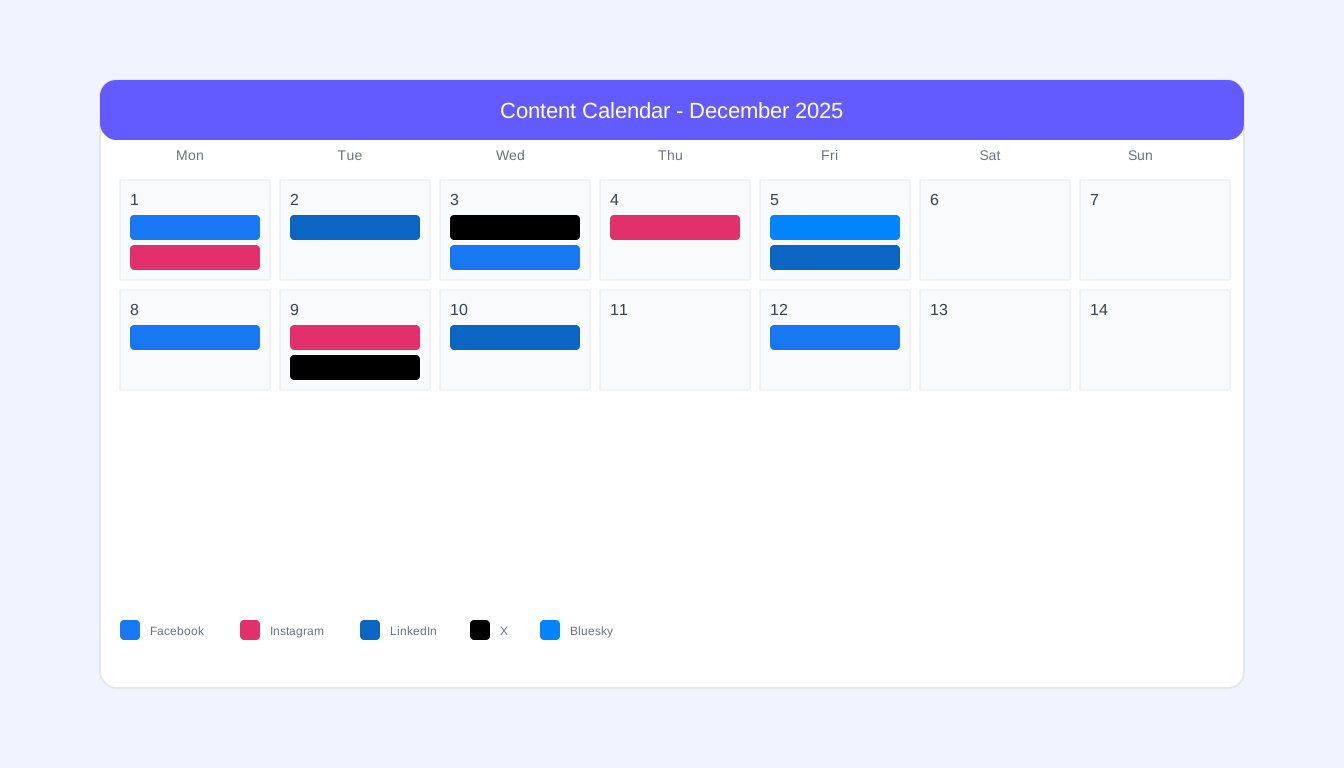
Platform Indicators
Color-coded posts show platform distribution. Instantly spot gaps or over-concentration.
Content Pillar Tracking
Tag posts with pillars and see your distribution. Maintain the balance that drives results.
Team Collaboration
Assign posts, track status, manage approvals—all within the calendar view.
AI-Assisted Gap Filling
Pylot suggests content ideas to fill gaps in your calendar, based on your best-performing posts and current trends.
Conclusion
A content calendar transforms social media from a daily scramble into a strategic operation. It's not about removing spontaneity—it's about ensuring your spontaneous moments happen alongside consistent, quality content.
Start simple. Plan a week ahead. Review what works. Refine your approach. Before long, you'll wonder how you ever managed without one.
Ready to upgrade your content calendar? Try Pylot free and experience visual content planning that makes social media management enjoyable.