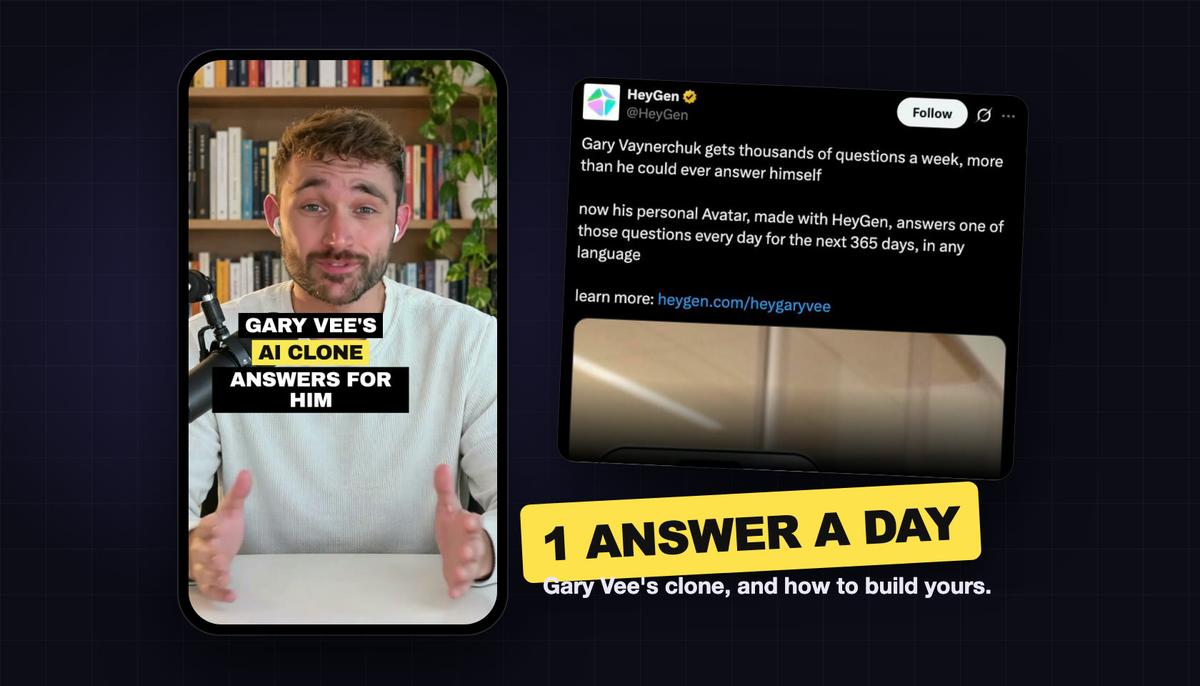
Gary Vaynerchuk gets thousands of questions a week, far more than one person can answer. So now, as HeyGen announced on X, his personal AI avatar answers one of those questions every day for the next 365 days, in any language.
I wanted the same thing for Pylot, so I built it in a day. This is the exact setup, with what it actually cost us.
The result first
- A digital twin of me that looks and sounds like me, sitting in a podcast-studio setting
- A 25-second answer video costs us about 10 HeyGen credits to render
- Each video is edited with captions and a hook, then posted to TikTok, Instagram, Facebook, LinkedIn and X automatically
Step 1: Make your digital twin
- In HeyGen, create a digital twin: record about two minutes of yourself talking to the camera. Front-facing, steady eye contact, good light from the front, your normal energy. The avatar copies your gestures, so talk the way you want your videos to look.
- Clone your voice in the same session (same room, same mic), so the voice matches the face.
- Add a look for the setting you want. We used a photo look of "me at a desk with a podcast mic and a bookshelf", which frames you waist-up instead of a webcam close-up.
What we learned the hard way:
- The look changes the price a lot. Rendering with our webcam twin cost about 3.5 credits a second. The same length with the studio photo look (moving like the real footage) cost about a tenth of that.
- Close-up webcam footage stays close-up. Cropping a landscape webcam clip to vertical shows only your face. Pick a wider look for vertical video.
Step 2: Collect the questions people actually ask
Gary's clone answers real questions, and that's why it works. Pull yours from:
- Comments on your posts ("how do you…", "what's the best…")
- DMs and emails
- The "People also ask" box on Google for your topic
Paste 30 of them into Claude or ChatGPT with this prompt:
Turn each question into a 20–25 second answer script for a talking-head
video. Rules: first sentence is the hook, under 9 words; answer one thing
only; plain words; end with one line telling viewers what to comment.
Write keywords people should comment in lowercase. Spell brand names the
way they're pronounced.
Those last two rules save re-renders. Our avatar read an all-caps word ("FILM") as F-I-L-M, and said our own brand name wrong until we spelled it the way it sounds.
Step 3: Render, then edit like a real Short
A talking head with no edit gets scrolled past. Every video gets:
- The hook as huge text in the first second (that frame is also the thumbnail)
- Proof on screen: the post, screenshot or result you're talking about
- Captions a few words at a time, kept clear of TikTok's buttons on the right
- One ask at the end, as a big end card
Step 4: Post it everywhere, every day
This is where most daily-video plans die: five apps, five logins, five upload screens. Pylot connects TikTok, Instagram, Facebook, LinkedIn and X once, then posts each video to all of them at the time you pick. Queue a month of answers in one sitting and the clone shows up every day while you work on something else.
Mistakes to avoid
- Hiding that it's AI. Label it. TikTok and Meta both ask for labels on realistic AI video, and viewers forgive a clone far more than a trick.
- Generic questions. "Tips for growth" gets nothing. "Why did my Reel get 200 views?" gets watched.
- Skipping the edit. The render is the raw footage, not the video.